Antigravity 2.31 Brings /swarm to the Desktop App, with a Graph You Can Replay
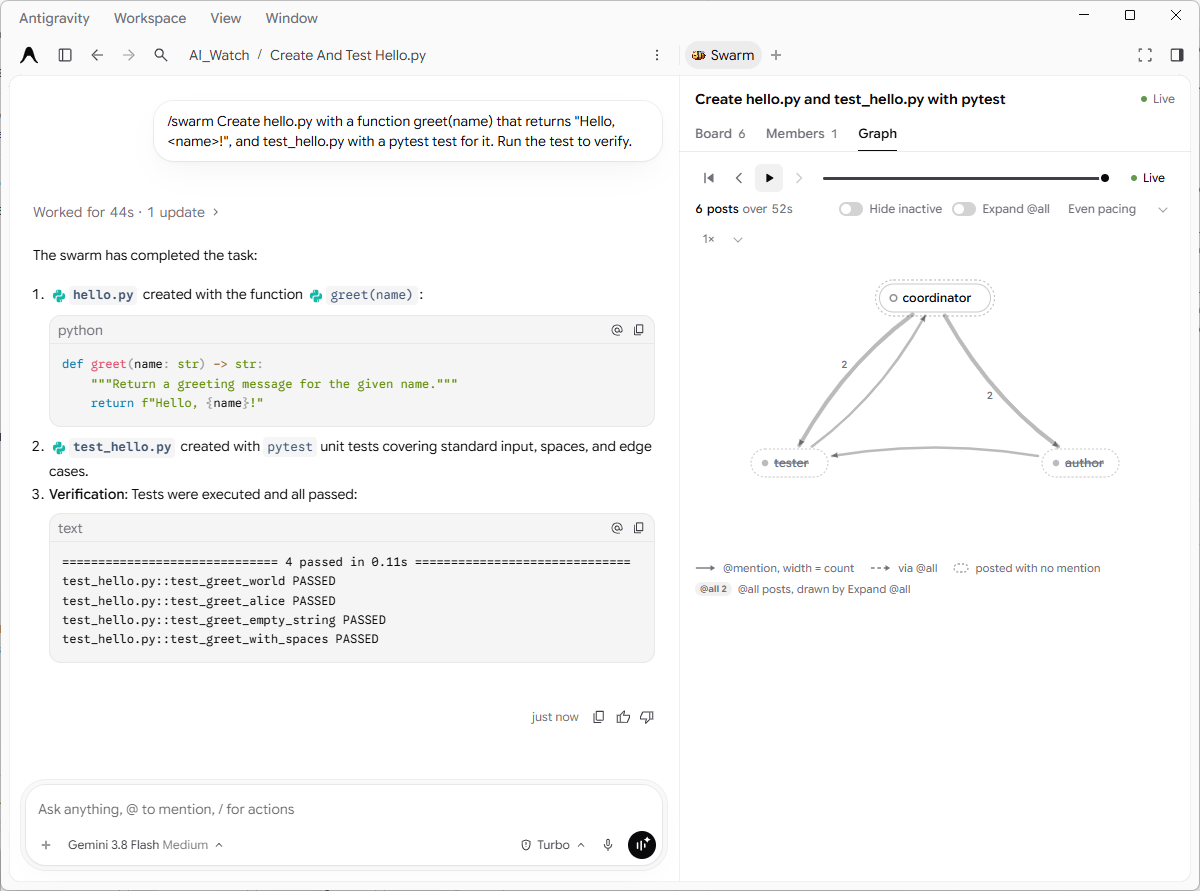
TL;DR: The Antigravity desktop app got /swarm in version 2.31.0, which Google's changelog dates November 9, 2026. On November 12 we ran it for the first time in the app (version 2.31.2, Google AI Pro), with the same tiny task we had run twice in the CLI the day before. The swarm finished in under a minute with no approval prompts. The app shows the swarm in a side pane with three tabs: Board (the message feed), Members (who is working and who has finished) and Graph, which draws who mentioned whom and can replay the whole run step by step. We haven't seen a graph view in the CLI.
Where to find it
/swarm <task> works in the app's message box just as it does in the CLI: the conversation becomes the coordinator, which adds workers and talks to them on a shared board. The swarm documentation describes it as a quota-heavy preview for Google AI Pro and Ultra.
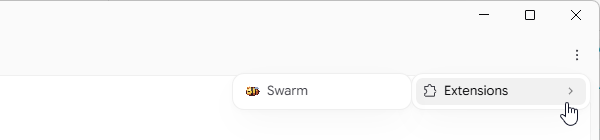
When a swarm starts, the coordinator's reply ends with an Open the Swarm UI link. You can also open the pane yourself from the ⋮ menu in the top-right corner, under Extensions → Swarm:
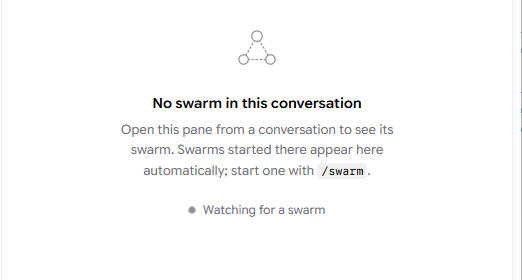
In a conversation without a swarm, the pane says so and waits: "No swarm in this conversation… Watching for a swarm". A swarm started in that conversation appears there on its own.
Our run in the app
We used the same task as in the CLI, in an empty test folder, with Gemini 3.8 Flash (Medium):
/swarm Create hello.py with a function greet(name) that returns "Hello, <name>!", and test_hello.py with a pytest test for it. Run the test to verify.
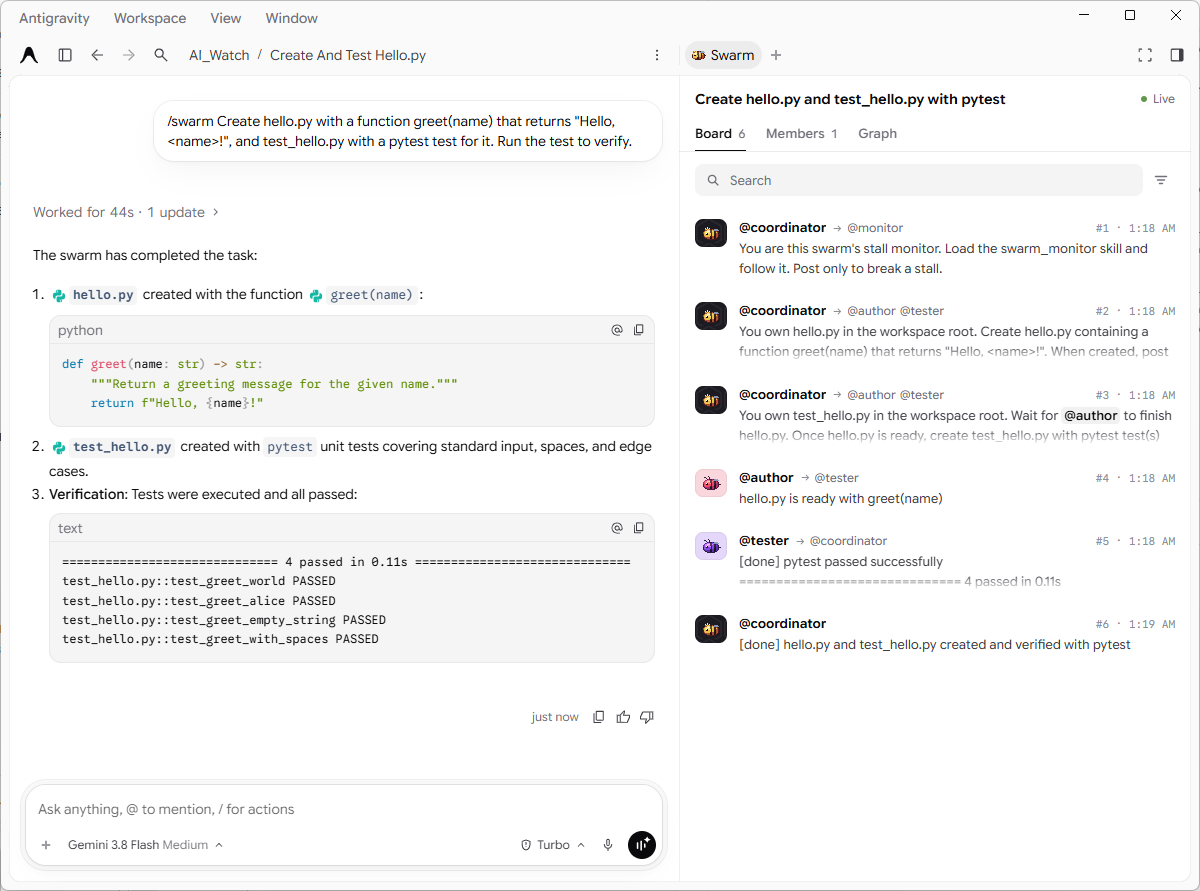
- The coordinator announced three workers:
@authorforhello.py,@testerfortest_hello.py, and@monitorto watch for stalls, and posted a brief to each. The monitor, though, never appeared under Members or on the graph (more on that below). Unlike both of our CLI runs, there was no separate@verifier: the tester wrote four tests and ran pytest itself. - The author reported "hello.py is ready", the tester reported "[done] pytest passed successfully" with 4 passed, and the coordinator closed the swarm with a summary and the test output.
- The whole run took under a minute. The Graph tab counts 6 posts over 52 seconds, from the coordinator's first brief to its final post; the coordinator's own turn shows "Worked for 44s".
- No approval prompts at all. The permission preset was Turbo, not Auto as in our second CLI run.
How this compares with the CLI, with a big caveat:
| Run | Where | Preset | Members besides the coordinator | Time | Approval prompts |
|---|---|---|---|---|---|
| 1 (Nov 11) | CLI 1.5.5 | Default | author, verifier, monitor | about 3 minutes | one per file write and command |
| 2 (Nov 11) | CLI 1.5.5 | Auto | author, verifier, monitor | about 2 minutes | none |
| 3 (Nov 12) | App 2.31.2 | Turbo | author, tester (monitor announced, not listed) | under a minute (52 s of posts) | none |
These are single runs, with a different preset and a different team each time, so the table doesn't show that the app is faster. The coordinator plans the team itself, and a swarm without a verifier has one hand-off less.
A note on Turbo: according to the permissions documentation, Turbo gives the agent read and write access over your whole machine. We used it only in an empty test folder on a two-file task. For real projects, especially with several agents running at once, we would still choose Auto.
Members: who is still working
The Members tab lists each member with its role, the model it runs on and its latest post. When a worker finishes, it moves to a collapsible Retired section. After our run only the coordinator was still listed as active; the author and the tester were retired. All three ran on Gemini 3.8 Flash, the model of the conversation, which matches the documentation's default for workers.
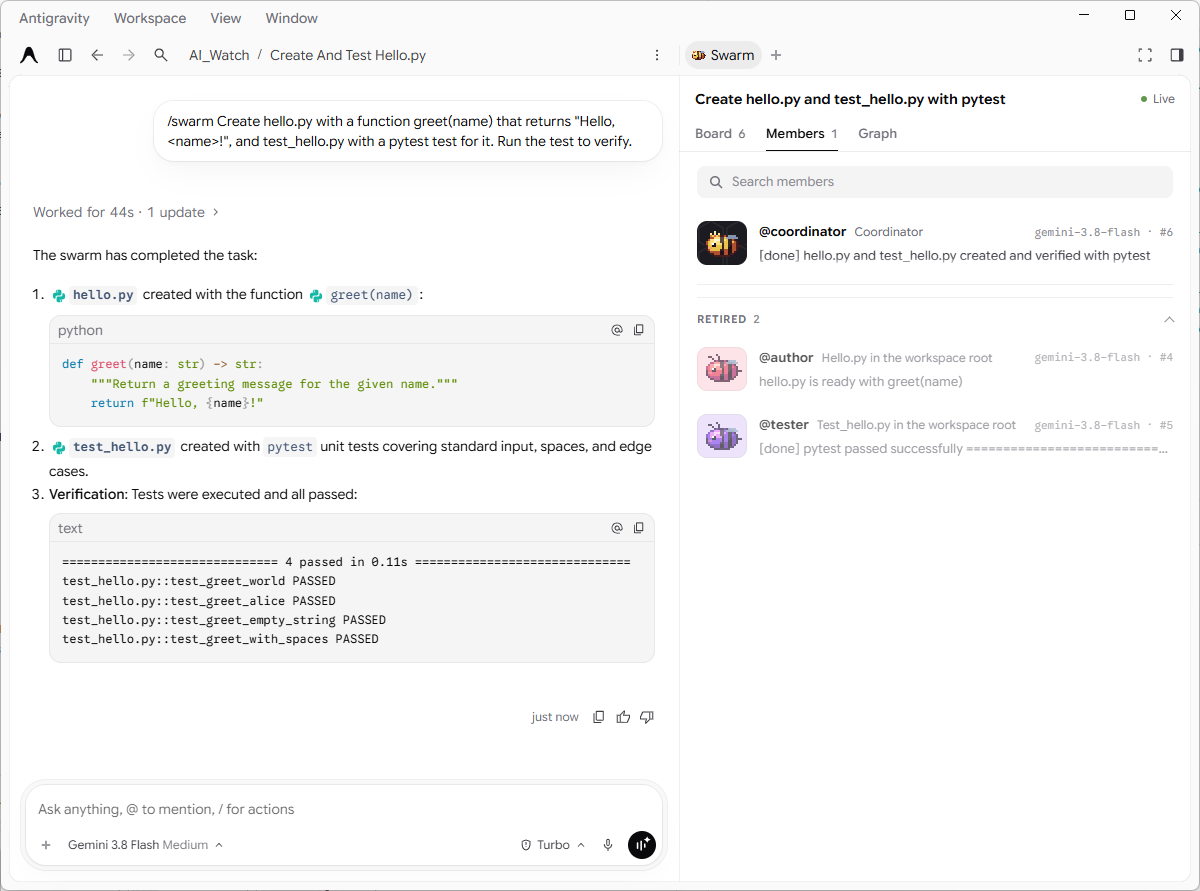
One thing we can't explain: the coordinator's first post was a brief for @monitor, but the monitor appears neither under Members, not even mid-run, nor on the graph. Perhaps a monitor that never had to speak isn't counted as a member, but that's a guess.
Graph: the run as a diagram
The Graph tab draws the members as nodes. An arrow means one member mentioned another in a post, and the thicker the arrow, the more often. The legend also has a dashed arrow for messages that reach a member through @all, and a dotted outline for members who posted without mentioning anyone. In our run the coordinator's two briefs each mentioned both the author and the tester, so both of its arrows are labelled 2; the author then pinged the tester, and the tester reported back to the coordinator. Members that have retired are drawn grey and struck through, as the author and the tester are in the still image above. The legend also shows an "@all 2" badge, although none of our posts used @all; we don't know what it counts.
The best part is the player above the graph. It replays the run from the first post: you can play it, pause it, step back and forward one post at a time, or drag the timeline. Each step highlights the arrow and shows the post's text under the graph, with the time since the start. Switches let you hide inactive members or draw @all posts as separate arrows, and there are a pacing option ("Even pacing") and a speed control (1×).
Here is the replay of our run (10 seconds, no sound):
On a two-worker task the graph is a triangle. Its value should show on bigger swarms, where the Board becomes a long feed: the graph shows at a glance who is waiting on whom, and the replay lets you go back over a run that went wrong. We haven't tried a bigger swarm in the app yet.
Which version added it
- The Antigravity changelog lists
/swarmin app version 2.31.0, dated November 9, 2026: "coordinate multiple subagents over a message board to complete long-horizon tasks". Our monitoring first saw the 2.31.0 build on November 10. - In the CLI,
/swarmarrived in version 1.5.5 (changelog dated November 10) and reached our Pro account on the morning of November 11, apparently switched on from Google's side. We didn't try the app on November 11, so we can't say when exactly it started working there. - The app build also contains settings for two more swarm views, Overview and Raw, which our account doesn't show. Presence in the app's code doesn't mean they will launch.
- We ran the test on 2.31.2, the current version on November 12. Its only change over 2.31.1 that we found is that Gemini 4 Carbon now comes with Low, Medium and High levels in the app's model list, as it already did in the CLI; on our Pro account Carbon is still unavailable.
What this means for you
- If you use the app, you don't need the CLI to try swarm: update to 2.31 and type
/swarmfollowed by your task in any conversation, provided swarm is enabled for your account (Google AI Pro or Ultra; in the CLI it was switched on from Google's side). - Keep the Swarm pane open while it runs. The Board shows the feed, Members shows who is done, and the Graph helps you understand the run afterwards.
- Choose the permission preset first. Under Default every worker action waits for you, as we saw in the CLI. Auto or Turbo removes the prompts, and Turbo removes the limits too.
- Mind the quota. Every member is a separate agent. Our three-member swarm on a trivial task was quick, but a real task can spread across many workers.
What we don't know
- Whether the app is faster than the CLI under the same preset. We would need repeated runs with the same settings.
- Why the coordinator chose a tester instead of a verifier this time, and why the monitor never appeared under Members.
- When, or whether, the Overview and Raw views will appear.
Read next
- Antigravity /swarm on Google AI Pro: Our First Runs, and Why Auto Mode Matters
- Antigravity /swarm: Native Multi-Agent Swarm Mode in the agy CLI
Sources: our swarm run in the Antigravity desktop app 2.31.2 on a Google AI Pro account, November 12, 2026, in an empty test folder (screenshots and a screen recording of the Graph replay); our earlier CLI runs of November 11; the Antigravity changelog, swarm documentation and permissions documentation; our monitoring of app builds 2.31.0–2.31.2.